Free purchase order template
Fill it in, send it to your vendor, and keep a copy. When the bill comes, you can check it against what you actually ordered.
Free to download. The Excel version adds up the totals for you.
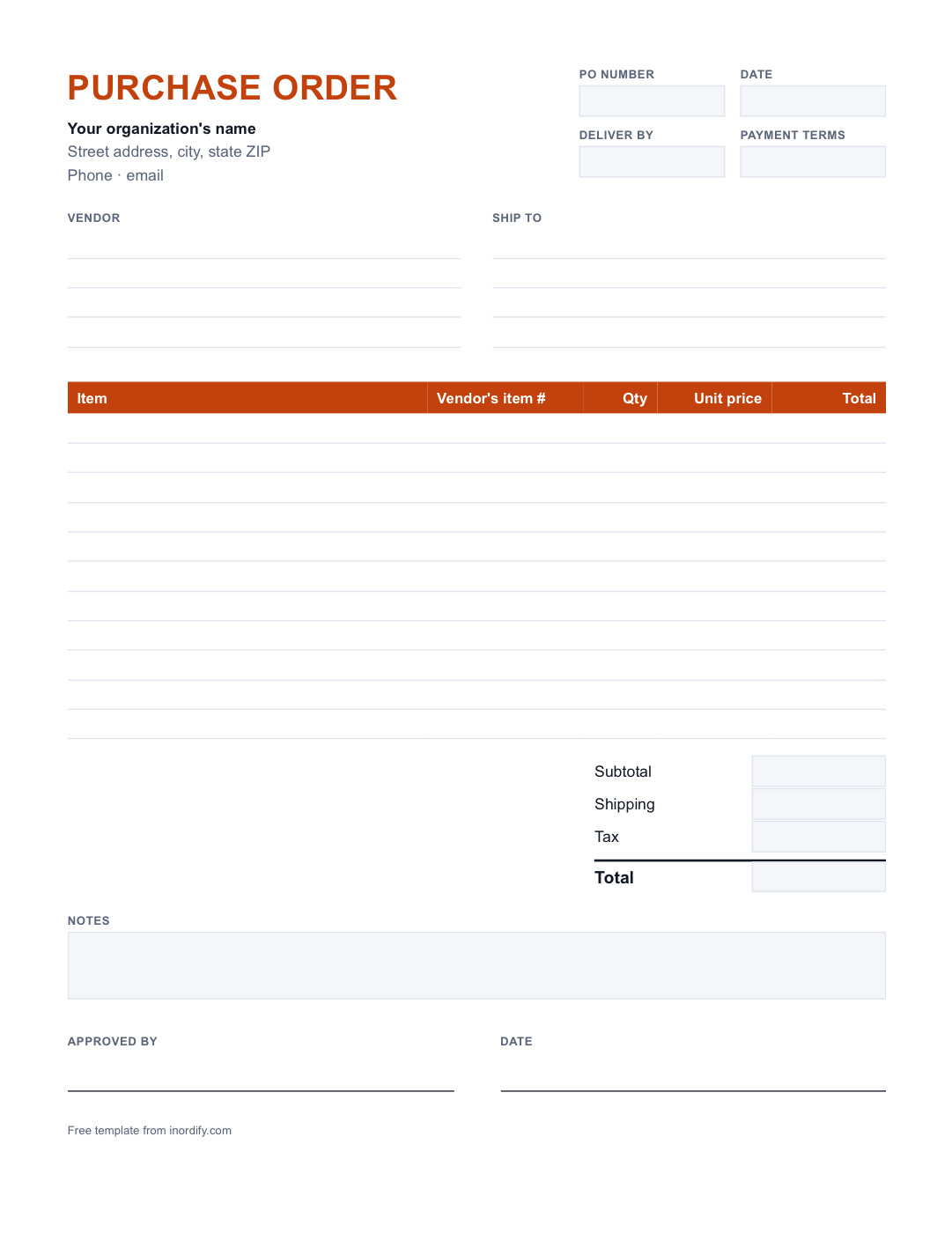
What is a purchase order?
A purchase order is the note a buyer sends a vendor saying exactly what they're ordering, how many, and at what price. It gets a number, so everyone can talk about the same order. Once the vendor accepts it, it's your written record of what you agreed to buy.
How to fill it in
- PO number. Give every order its own number, like 1001, then 1002. Never use one twice.
- Date and deliver-by date. When you're ordering, and when you need it.
- Vendor. The business you're buying from, and who you deal with there.
- Ship to. Where it should be delivered, and who will be there to receive it.
- Items. One line per item: what it is, how many, and the price for one. The Excel version works out each line's total.
- Shipping and tax, if the vendor charges them.
- Approved by. The person who said yes to spending the money.
Then send it to the vendor and keep a copy for yourself.
Purchase order or invoice?
They look alike, but they go in opposite directions.
- A purchase order goes from you to the vendor, before anything arrives. It says "this is what we want."
- An invoice, or bill, goes from the vendor to you, afterward. It says "this is what you owe."
Checking one against the other is how you catch a bill for something nobody ordered, or at a higher price than you agreed to.